
Cango logo
Cango logo
Menu
Cinematic night city skyline with glowing orange neon lights, sleek sports car parked on wet reflective street, casino reels

Cango Android App: installing on Android made simple

Updated: 10 November 2026

Settling onto the couch after work with your phone in hand is the easiest way to play a few hands of Infinite Blackjack or spin a pokie like Bonanza Billion. Instead of searching Google Play, where you will not find a native download, the cango android app runs as a progressive web application directly from your mobile browser. It takes about thirty seconds to place the shortcut onto your home screen, uses almost no device storage, and opens into full screen so you can manage your evening budget, play live dealer tables, and organise a cashout cleanly.

Cango android app: steps in one table

Setting up the cango app on an Android phone happens entirely inside your standard browser, without downloading bulky installation files or turning on risky developer settings. Because it is a PWA, the browser builds a clean wrapper around the mobile lobby and places a shortcut icon right alongside your normal daily apps. Once you tap that icon in the evening, the top address bar disappears, giving you more vertical room for live roulette wheels or BGaming pokies. Below is the exact sequence from opening the page to launching your first mobile session.

StepWhat you tapWhat you see
1. Open the lobbyAddress bar in Chrome on your Android phoneThe mobile lobby loads with the Slots and Live Casino switch at the top
2. Open browser menuThree vertical dots in the top right corner of ChromeA drop-down menu appears over the right side of the screen
3. Select installInstall app or Add to Home screen in the menu listA pop-up prompt asks you to confirm adding the shortcut
4. Confirm installationInstall or Add button inside the pop-up boxA brief system notification confirms the icon is being placed
5. Launch the PWAThe new Cango icon on your phone home screenThe casino opens in full-screen view without browser navigation bars
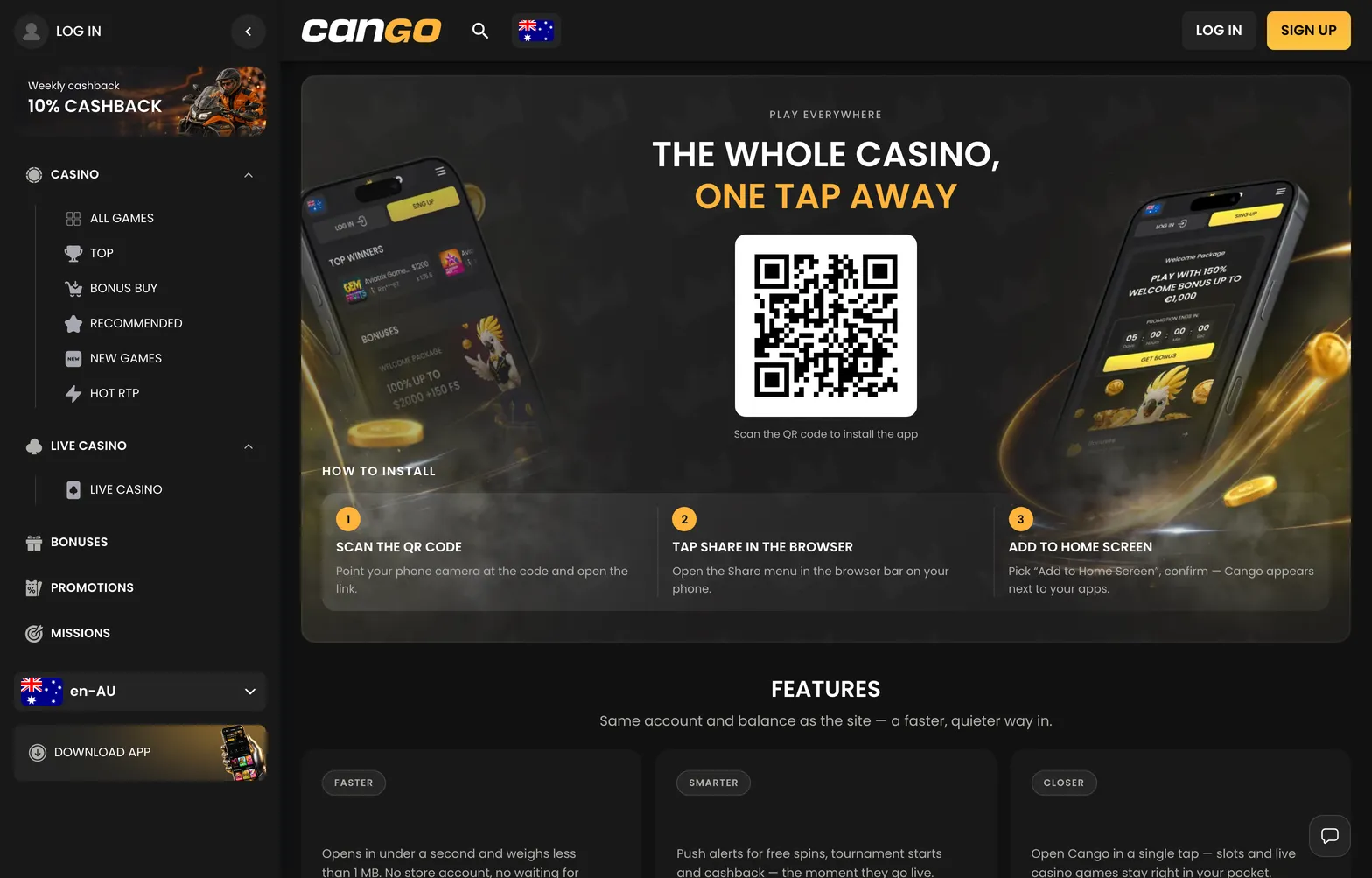
Install 001 cango 1568x1003

The install page on Android: the Download Android button opens the same browser install as the Chrome menu item.

Cango android app: fixes

Most of the time, placing the cango android shortcut onto your phone works on the first try, though a few handset settings can occasionally block the icon from appearing. If you tap the install button and cannot find the shortcut on your main screen when you sit down to play, check your app drawer first, as newer Android versions sometimes drop new icons onto the last page of the drawer. If it is genuinely missing, walking through a few quick browser checks will sort it out in a couple of minutes.

  • Check your mobile browser: Chrome handles progressive web apps best on Android. If you opened the page inside an in-app browser or a privacy browser like DuckDuckGo, the install option is often stripped out. Copy the address into Chrome or Samsung Internet instead. On Samsung Internet, tap the three lines at the bottom right, choose Add page to, and select Home screen.
  • Turn off Incognito mode: When you browse in a private or Incognito tab, Android prevents the browser from generating permanent home screen web apps. Close the private tab, open a standard Chrome window, and load the lobby again.
  • Enable home screen shortcut permissions: Some custom Android skins from Xiaomi, Oppo, or Vivo block browsers from placing icons on the launcher by default. Hold your finger on the Chrome icon, tap App info, go to Permissions or Other permissions, and make sure Home screen shortcuts is ticked.
  • Clear the browser cache: If the prompt only offers a basic bookmark instead of the proper Install app option, open Chrome settings, tap Privacy and security, and clear cached images and files for the last hour. Reload the page and wait five seconds for the background script to register before opening the three-dot menu.
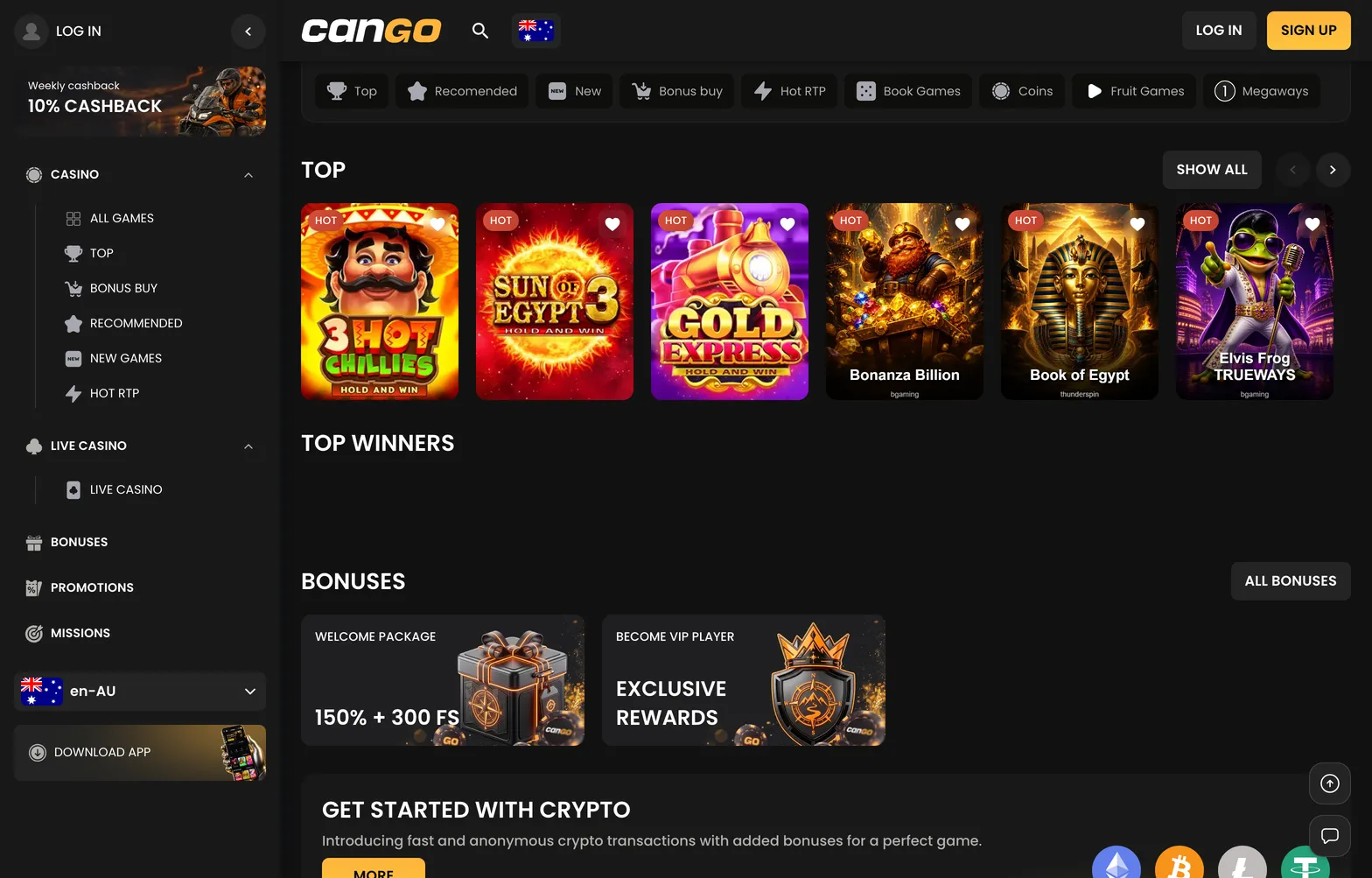
Home 010 cango 1568x1003

The installed web app opens on the lobby home, where the Slots / Live Casino switch sits at the top.

Cango android app: the request route

Following the standard request route through the browser menu is the cleanest way to set up your phone for an evening at the tables. When you open the three-dot Chrome menu and tap Install app or Add to Home screen, your phone saves a lightweight manifest file that tells the device to launch the site like a standalone application. Once the icon sits on your screen, tapping it takes you straight to the entry screen where you can complete your Cango login using your email and password or the single-tap Google option. If you are registering for the first time on your mobile, the single sign-up form lets you pick AUD as your fixed currency and enter the promo code WP1 to claim the 150% welcome match up to A$1,500 plus 300 free spins on a minimum deposit of A$45.

Cango android app: before you ask support

  • Should I use Chrome or another browser for the Cango Android app?

    Chrome is the best pick for setting up the Cango Android app when you are relaxing on the couch. Other Android browsers can play the pokies and live tables just fine, but Chrome handles the web app shortcut cleanly without hiding the menu button. Once the icon is on your screen, it opens in its own window without the browser address bar getting in the way.

  • Why is the Install app option missing in my Chrome menu?

    If you tap the three dots in Chrome and do not see Install app, look for Add to Home screen instead, as older Android versions label it differently. It can also stay hidden if you are browsing in an incognito tab or if the Cango lobby has not finished loading completely. Just switch to a regular tab, wait a couple of seconds for the page to settle, and check the menu again.

  • Do I need to download a Cango APK file on my phone?

    No, you never need to hunt down an APK file or change your phone security settings to allow installs from outside the store. Cango runs purely as a web app, so you set it up directly from your browser in a couple of taps. If you spot a third-party site offering an APK download for the casino, skip it and stick to the browser shortcut.

  • How much phone storage does the Cango app take up?

    Because it is a web app rather than a heavy Google Play download, the Cango shortcut uses almost no space on your phone. It only stores a tiny bit of cached data so the lobby and your favourite pokies load quicker the next evening. You also skip manual updates, as new games and features appear automatically every time you open the icon.

  • Can I use my normal login and Google sign-in on the Android app?

    Yes, the Android app uses the exact same account details, AUD balance, and cashier as the desktop site. You can log in with your email and password of 8 or more characters, or just tap the Google sign-in button for a faster start. Remember that Cango allows only one account per person and bans VPN use, so keep your connection normal when playing from your phone.